Good AI image prompts are the difference between a generic picture and the exact image you had in your head. This guide gives you 50 prompts to copy and paste, grouped by use case, plus a simple formula for writing your own. They all work in the AI Image Generator on Easy-Peasy.AI, where GPT Image 2.5, Nano Banana 2.1, Seedream 5.0, Midjourney V7 and dozens of other models share one prompt box. Call them AI image prompts or AI art prompts: the rules are the same.
What makes a good AI image prompt? A good AI image prompt names one clear subject, adds the details that matter, places it in a setting, and sets the style, lighting and camera angle. Write it as plain sentences, put any words that should appear in the image in quotes, and change one thing at a time.
The AI image prompt formula (with a worked example)
Most strong prompts answer the same seven questions, in roughly this order:
[Image type] of [subject], [key details], in [setting], [style and mood], [lighting], [camera angle and framing]
| Part | What it answers | Example words |
|---|---|---|
| Image type | Photo, painting, 3D render or poster? | photorealistic landscape photo |
| Subject | What is the main thing? | a single wooden dock |
| Details | What does it look like? | weathered planks, mist on the water |
| Setting | Where is it? | a still lake ringed by autumn trees |
| Style and mood | How should it feel? | peaceful, natural colors |
| Lighting | What is the light doing? | dawn, soft golden light from the left |
| Composition and camera | Where is the camera, and what is in frame? | low angle, wide-angle lens |
A worked example
Here is a real prompt and the image it produced:
A serene lakeside scene at dawn, mist rising softly off the water, a single wooden dock extending into the lake, surrounded by autumn trees in golden and amber colors, photorealistic style, peaceful atmosphere, golden hour lighting.
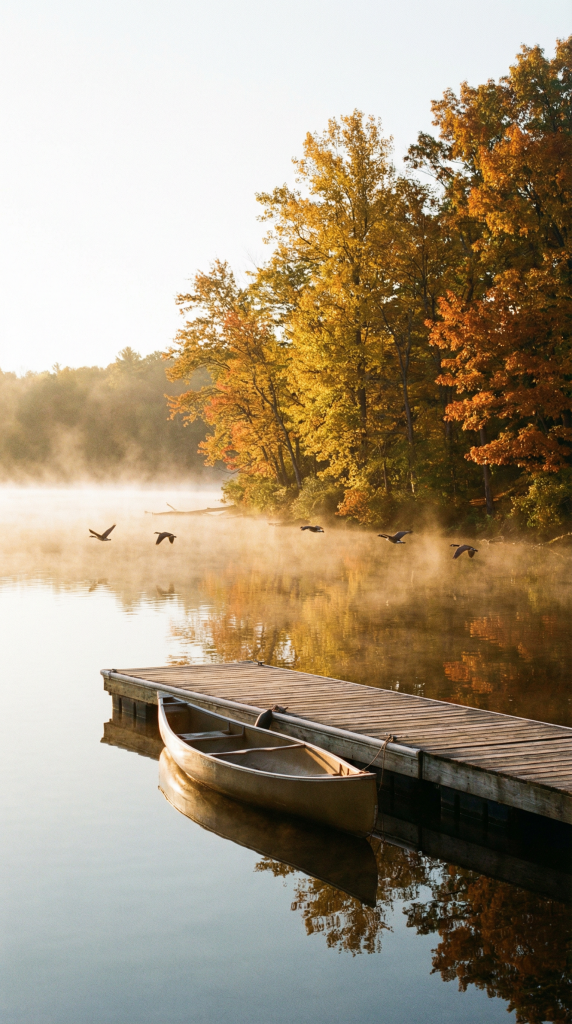
The prompt covers the image type (“photorealistic style”), the subject (“a single wooden dock”), details and setting (the mist and the autumn trees), the mood (“peaceful atmosphere”) and the lighting (dawn, golden hour). What it lacks is composition and camera, so the model chose the framing itself and filled the empty water with a canoe and a line of geese.
Add the missing part and describe the scene you actually want. The new version says what to show (“the empty dock”) instead of listing things to leave out:
Photorealistic landscape photo of a single weathered wooden dock reaching into a still lake at dawn, mist rising softly off the water, autumn trees in gold and amber along the far shore, peaceful mood, soft golden light from the left, shot from a low angle at the end of the dock with a wide-angle lens, the empty dock leading the eye toward the trees
Paste it into the AI Image Generator and try it on two or three models to see how each one frames the scene.
In this guide:
- How to write AI image prompts on Easy-Peasy.AI (step by step)
- 50 AI image prompts you can copy, by use case
- How to prompt each model (GPT Image, Nano Banana, Seedream, Midjourney)
- How to prompt text in AI images
- JSON prompts
- How to prompt with reference images
- AI art prompt tips that work on every model
- Frequently asked questions
How to write AI image prompts on Easy-Peasy.AI (step by step)
You can paste any prompt from this guide straight into the generator. Here is the full process.
Step 1: Open the AI Image Generator and pick a model
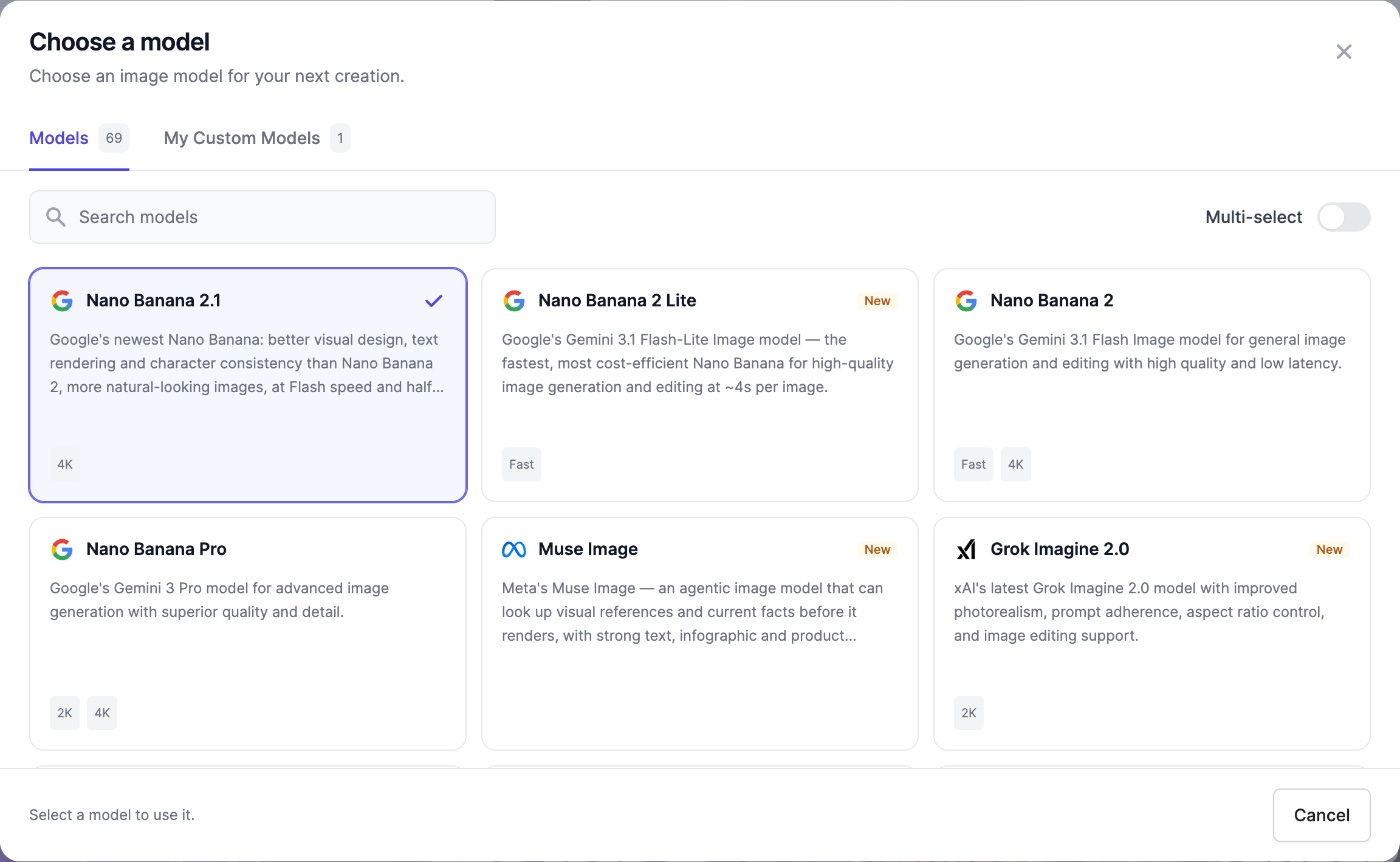
Open the AI Image Generator app. It starts on GPT Image 2.5 Flare Medium, a strong all-rounder. Click the model button to open Choose a model and search more than 40 models by name. On paid plans, the Multi-select switch sends one prompt to several models at once, so you can compare them side by side.
Step 2: Write your prompt with the formula
Type your idea into the Prompt box. The microphone button lets you Dictate it instead. The button next to it, Improve prompt, rewrites a rough idea into a detailed prompt, or suggests a Random prompt when the box is empty. Improve prompt is part of paid plans, and Free accounts get one trial run.
Step 3: Add style, camera, lighting and shot type
The Customize row under the prompt has Style, Camera, Lighting and Shot Type cards. Each choice adds words to the end of your prompt: Golden Hour adds “golden hour lighting”, the 85mm focal length adds “85mm focal length”, and Style adds a name such as Watercolor, Pixar 3D, Studio Ghibli or Film Noir. The Camera card also covers lens and aperture, so you get a portrait-lens look without memorizing the words.
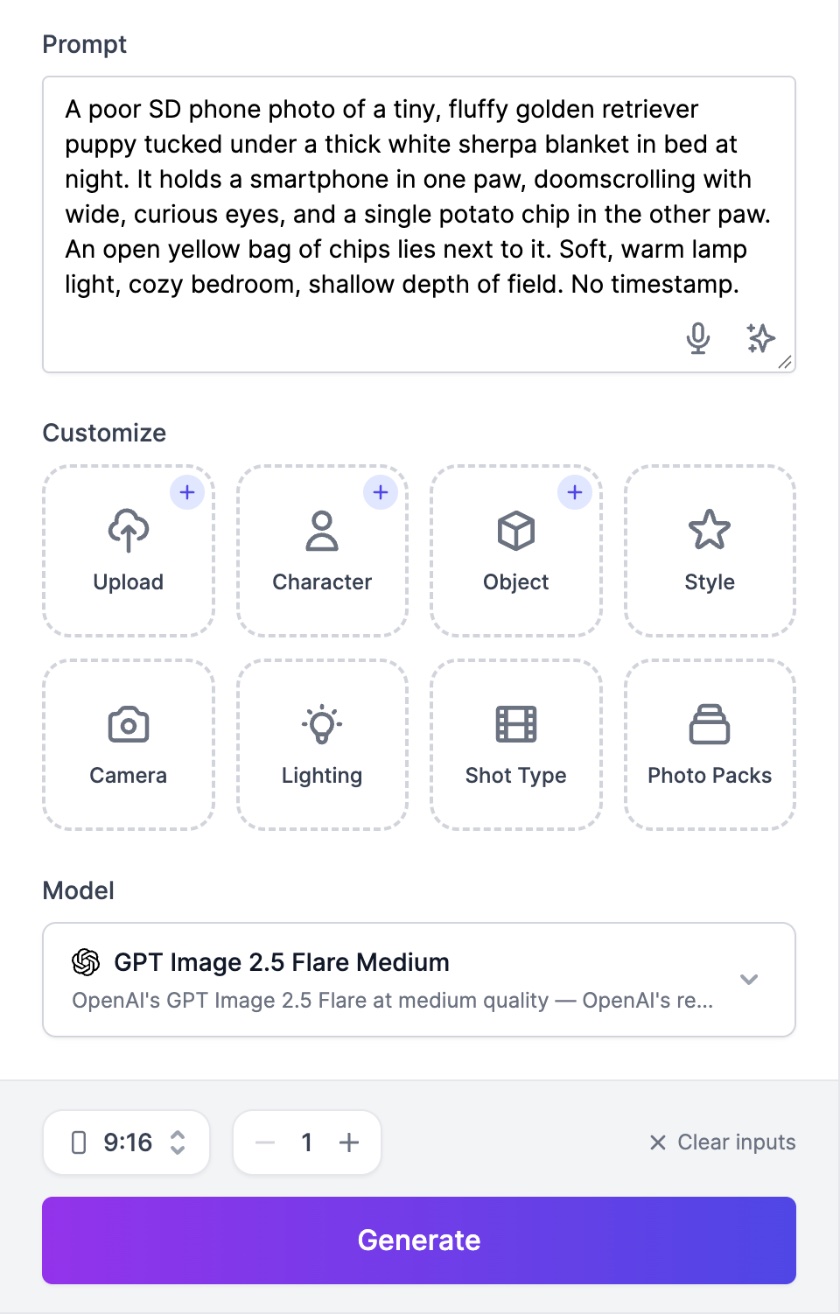
Step 4: Add reference images when you need a real face, product or style
Use Upload for any photo, or Character and Object for a person or product you want to keep. You can add up to 8 images (JPG, PNG or WebP). Adding one switches the model menu to models that can edit, such as GPT Image 2.5, Nano Banana 2.1, Seedream 5.0 and FLUX.2. The reference images section shows how to word these prompts.
Step 5: Choose the size, then generate
Pick the shape in the aspect ratio menu next to the Generate button. It sets the real size of the image, so you don’t need to write “16:9” in the prompt. Choose a resolution where the model offers one (1K, 2K or 4K) and how many images you want. Each image costs credits, and the price is shown on the Generate button before you click.
On the Free plan, wide and tall shapes such as 16:9 and 9:16, 4K, several images per run, Multi-select and the premium models are locked.
Step 6: Review, then change one thing at a time
Look at what the model got right before you rewrite anything. Change only the part that is wrong, such as the lighting words, and run it again. If an image is nearly perfect, add it as a reference and describe the one change you want.
50 AI image prompts you can copy, by use case
Each prompt follows the formula, so you can swap the subject and keep the rest. Copy one, paste it into the generator, and change the details to fit your idea. Where we have the real output, it appears under the list.
Jump to: Portraits | Products | Social media | Logos and posters | Landscapes | Fantasy | Anime | 3D and Pixar style | Interiors | Cinematic and travel
Portrait and people prompts
Describe the person, their clothes, the setting and the light, then add a lens. Camera words such as “50mm lens” and “shallow depth of field” make a portrait look like a real photo.
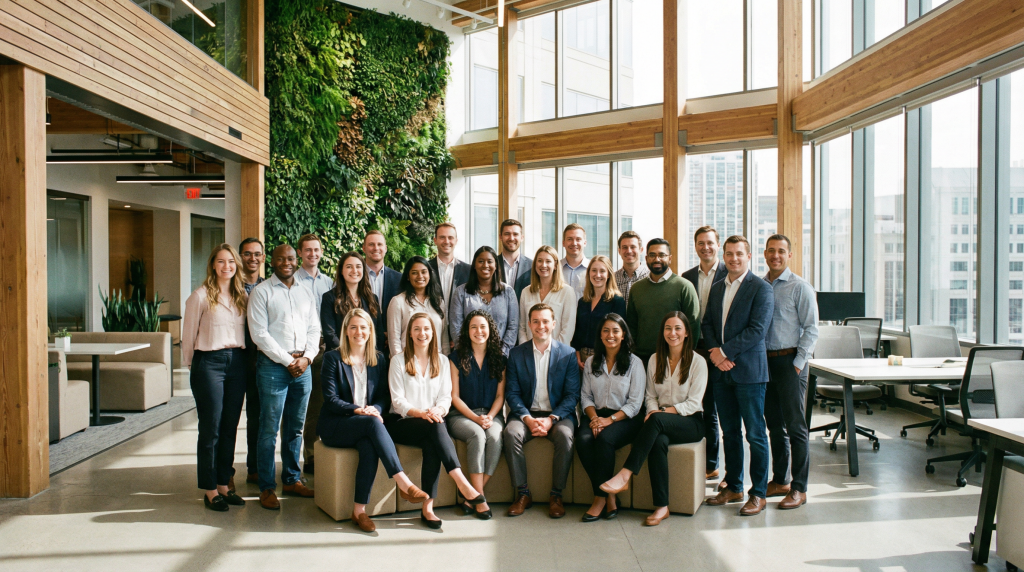
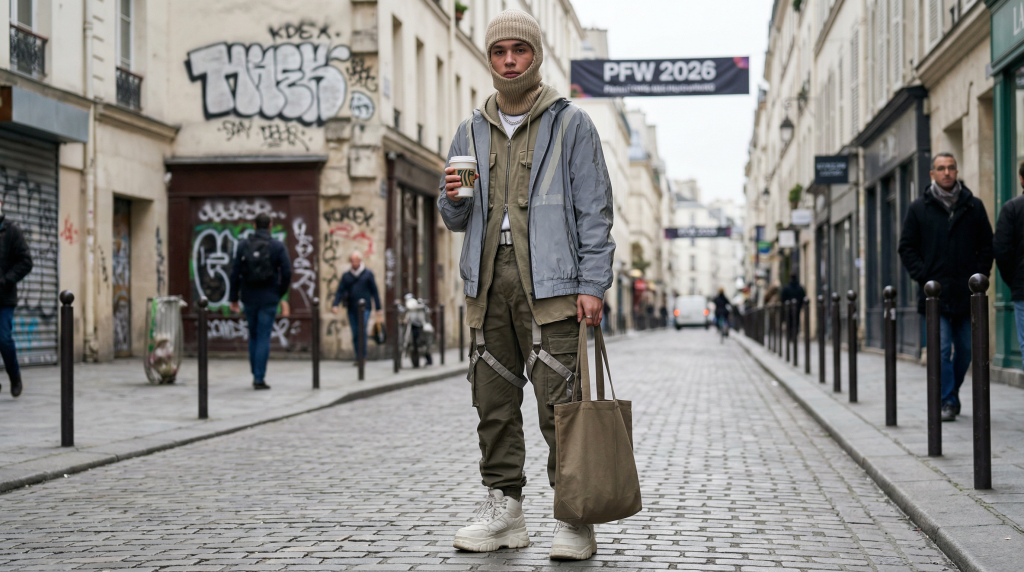
Corporate team photo, diverse group of professionals in business casual attire, modern office environment, natural lighting, friendly expressions, LinkedIn profile qualityProfessional corporate headshot of a smiling woman in a navy blazer, softbox studio lighting, neutral warm gray backdrop, sharp focus on eyes, executive profile qualityEditorial fashion portrait of a striking woman in an avant-garde sculptural crimson gown, dramatic chiaroscuro studio lighting, deep shadows, glossy magazine cover quality, medium format film look, rich color gradingEnvironmental portrait of an elderly potter at her wheel in a sunlit workshop, clay on her hands, shelves of drying bowls behind her, warm window light from the left, 50mm lens, shallow depth of field, documentary styleCreate a photo of someone wearing the latest streetwear trends from Paris Fashion Week 2026, urban street background, editorial photography style, natural daylight
More: the AI portrait generator page has extra example prompts.
Product photography and ecommerce prompts
Describe the product exactly (material, color, finish), give it a clean surface or scene, and light it like a studio. Keep props few and small so the product stays the hero.
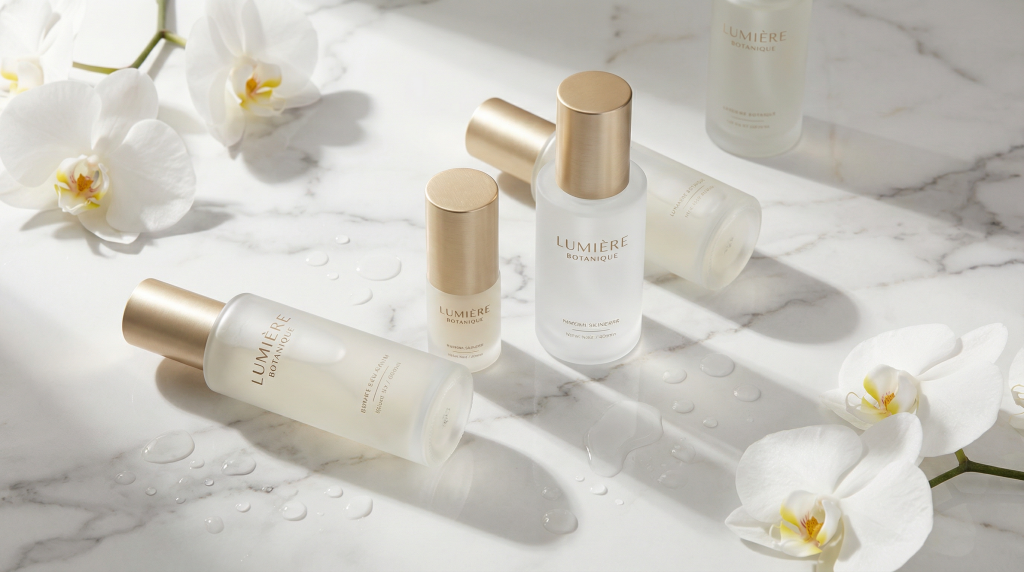
A professional e-commerce hero image for a premium skincare brand, featuring elegant glass bottles with gold accents arranged on white marble, soft shadows, water droplets suggesting freshness, clean minimalist composition, luxury aestheticProfessional product photography of a luxury watch on a marble surface, soft studio lighting, shallow depth of field, reflection visible on polished surface, white background, e-commerce style, price tag '$599' in elegant fontLuxury perfume bottle commercial photography, amber glass bottle suspended mid-air with a dynamic splash of golden liquid frozen around it, black background, dramatic studio lighting, hyperdetailed, advertising campaign qualitySneaker product photography, futuristic running shoe deconstructed into floating component layers, suspended in air, vivid gradient studio background, commercial advertising, high key lightingClean white-background product photo of a matte black wireless speaker, centered, front three-quarter view, soft even lighting with a gentle shadow underneath, sharp detail on the fabric grille, online store listing style
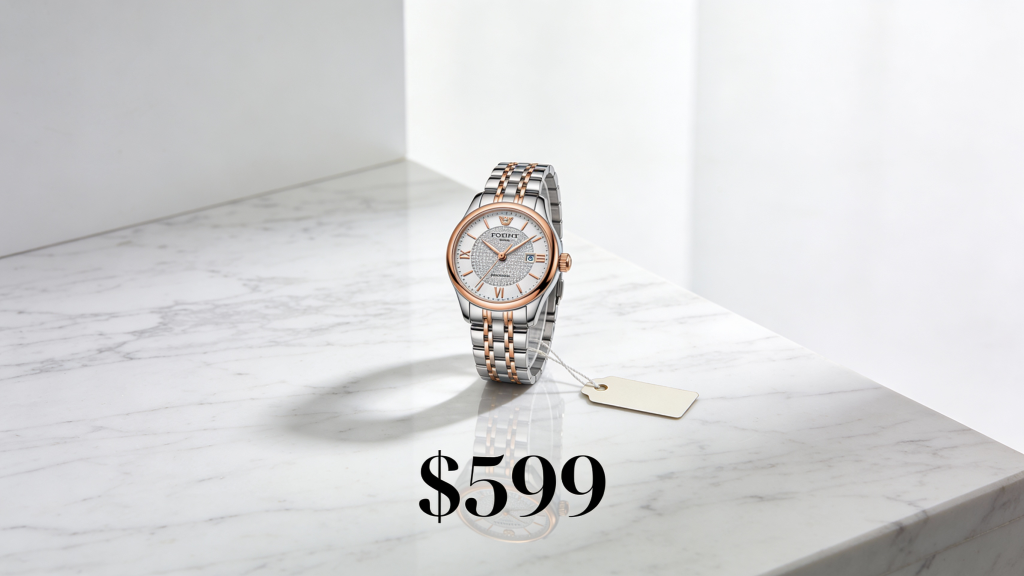
More: the AI product photography page.
Social media and aesthetic image prompts
Social posts work best when they feel like a real moment, not an ad. Name the mood (cozy, calm, fresh), keep the palette tight, and pick the shape for the platform: square or 4:5 for feeds, 9:16 for stories.
Instagram-worthy flat lay of a cozy autumn morning: a steaming cup of coffee, an open book, fall leaves scattered around, warm brown and orange color palette, overhead shot, soft natural lightingAthletic lifestyle photography, person doing yoga pose in a peaceful garden, comfortable workout attire, morning sunlight, wellness brand aestheticPhotorealistic advertisement showing a happy family enjoying a picnic in a sunny park, diverse group, natural expressions, appetizing food spread on a checkered blanket, golden hour lighting, aspirational lifestyle photographyDark moody food editorial, artisan chocolate dessert with gold leaf on a slate plate, wisp of steam rising, dramatic side light, Michelin star plating, shallow depth of fieldSquare quote card with the words "Small steps every day" in a bold rounded sans-serif font, centered on a soft peach background, a small hand-drawn sun doodle in the top corner, lots of empty space, clean modern layout
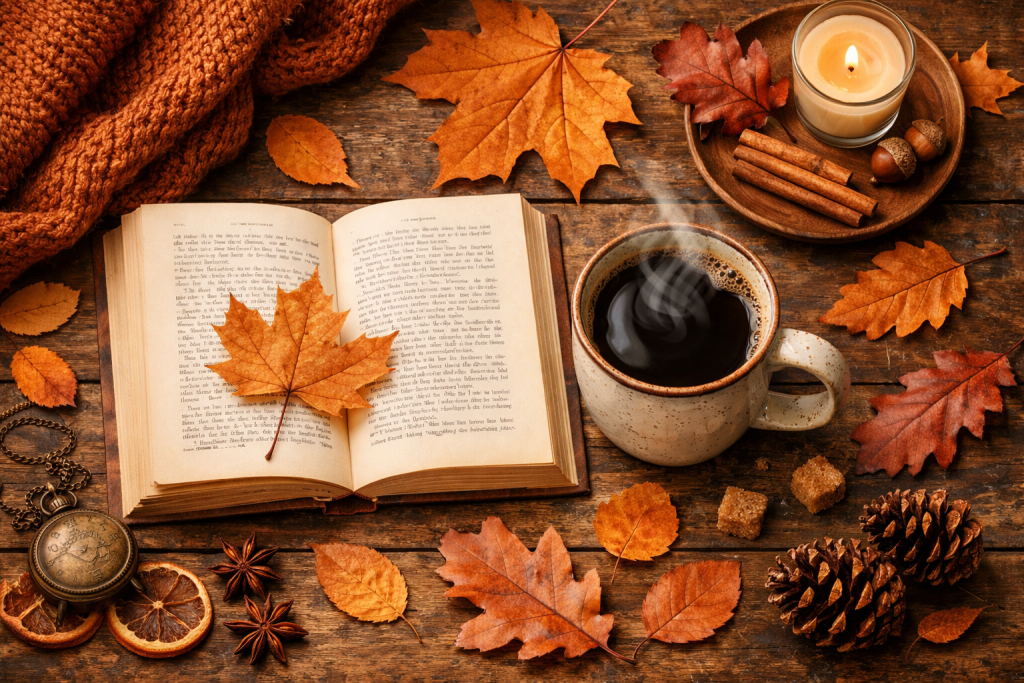
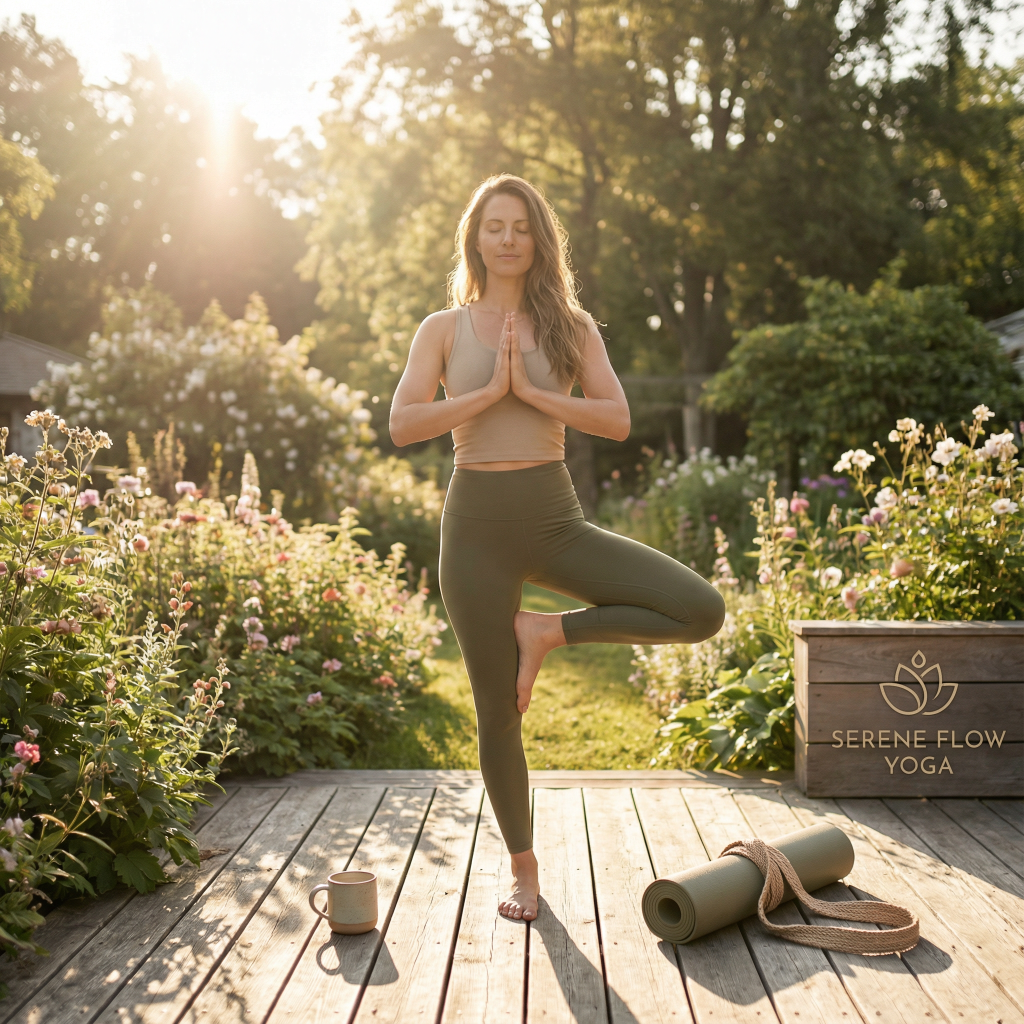
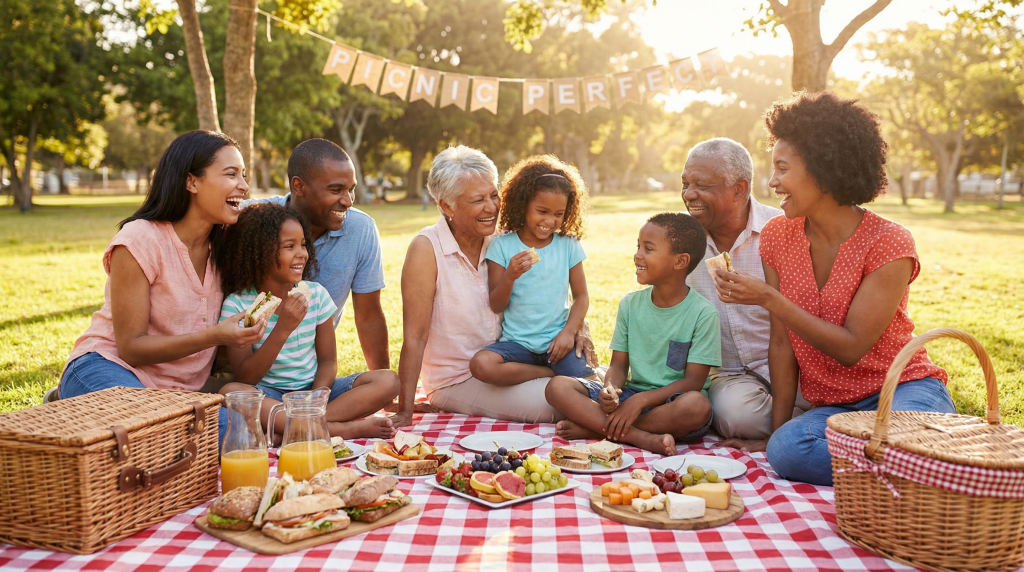
More: the Instagram post generator page.
Logo, poster and text-in-image prompts
Put every word you want in quotes, say where it goes, and describe the lettering. A headline and one small line come out far cleaner than a paragraph.
Minimalist movie poster design, dark background, silhouette of a detective in a trench coat, title 'MIDNIGHT SHADOWS' in bold art deco font at the top, tagline 'Some secrets never sleep' in small italic text at the bottom, film noir aestheticA professional movie poster for a sci-fi film titled "BEYOND TOMORROW" featuring a lone astronaut silhouette against a massive ringed planet, stars scattered across a deep purple-blue space, the title in sleek futuristic chrome font at the top, release date "2026" at the bottomMinimal logo for a coffee roastery called "Ember and Oak": a simple flame merged with an oak leaf, flat vector style, warm brown and orange, clean sans-serif wordmark under the icon, plain white backgroundFriendly mascot logo of a smiling fox wearing headphones for a podcast named "Fox Talks", bold outlines, flat colors, circular badge, plain white backgroundEvent flyer for a jazz night, saxophone player silhouetted in a warm spotlight, the headline "JAZZ AFTER DARK" in elegant gold serif letters at the top, "Friday, 9 PM" in small text below, deep navy and gold color scheme
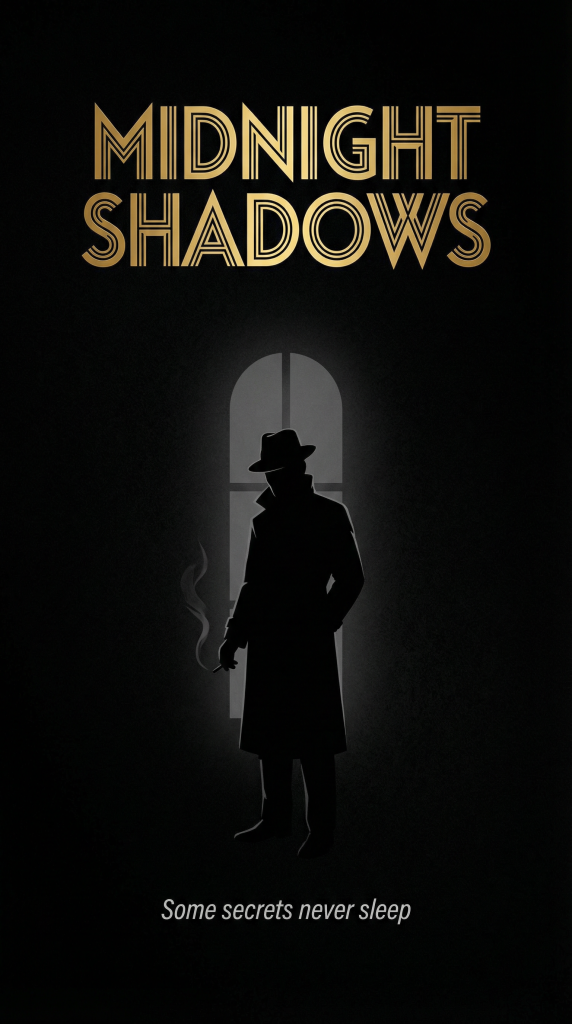
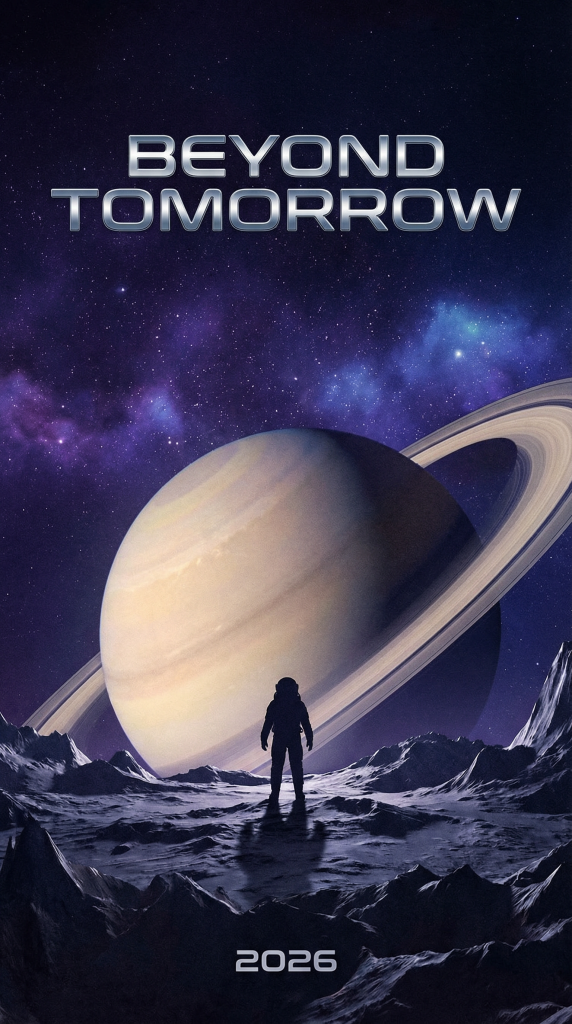
Need a logo you can edit later? Recraft v4.1 Vector turns prompts like 18 and 19 into editable SVG files (on paid plans). The AI logo generator page has more logo prompts.
Landscape and nature prompts
Landscapes come alive with weather, a time of day and something for scale, like a hiker or a cabin. Use a wide-angle lens for big views and a macro or telephoto lens for wildlife.
Award-winning wildlife photograph, hummingbird frozen mid-flight drinking from a vivid orchid, iridescent feathers, ultra-sharp macro detail, soft bokeh jungle background, golden morning lightCozy log cabin on the shore of a still mountain lake at dawn, mist rising from the water, snowy peaks reflected in the lake, warm light glowing in the windows, photorealistic landscape photographyNorthern lights swirling over a black sand beach in Iceland, green and purple aurora reflected in the wet sand, snow-covered mountains in the distance, long exposure night photography, wide-angle lensAncient redwood forest in the morning, sunbeams filtering through the canopy, ferns covering the forest floor, a tiny hiker on the trail for scale, peaceful mood, low-angle wide shotLighthouse on a rocky cliff during a storm, huge waves crashing below, lightning splitting a dark purple sky, the lighthouse beam cutting through the rain, dramatic moody atmosphere
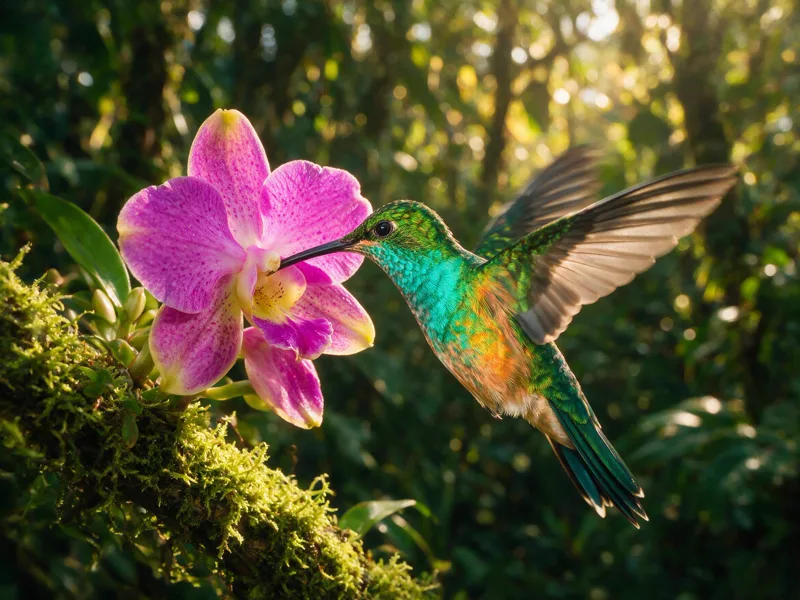
More: the AI landscape generator page.
Fantasy and illustration prompts
Fantasy is where AI art prompts shine, because nothing has to exist. Give the scene one focal point, a light source (fire, glowing orbs, a sunset) and an art medium, such as digital painting or storybook illustration.
A digital painting of a magical forest in vintage style, featuring a young girl discovering a hidden spirit among moss-covered ancient trees, dappled sunlight filtering through leaves, soft pastel colors, whimsical and enchanting atmosphereA majestic dragon perched on a crystal mountain peak, iridescent scales reflecting sunset colors, volumetric fog, epic fantasy artA majestic phoenix rising from roaring flames, feathers shifting from gold to crimson, glowing embers swirling around it, dark dramatic background, epic fantasy illustrationEnchanted library with floating books and spiral staircases, glowing magical orbs drifting between tall shelves, warm candlelight, richly detailed fantasy illustrationFairy tale castle on a floating island, waterfalls spilling off the edges into the clouds below, magical sunset sky, soft storybook illustration style
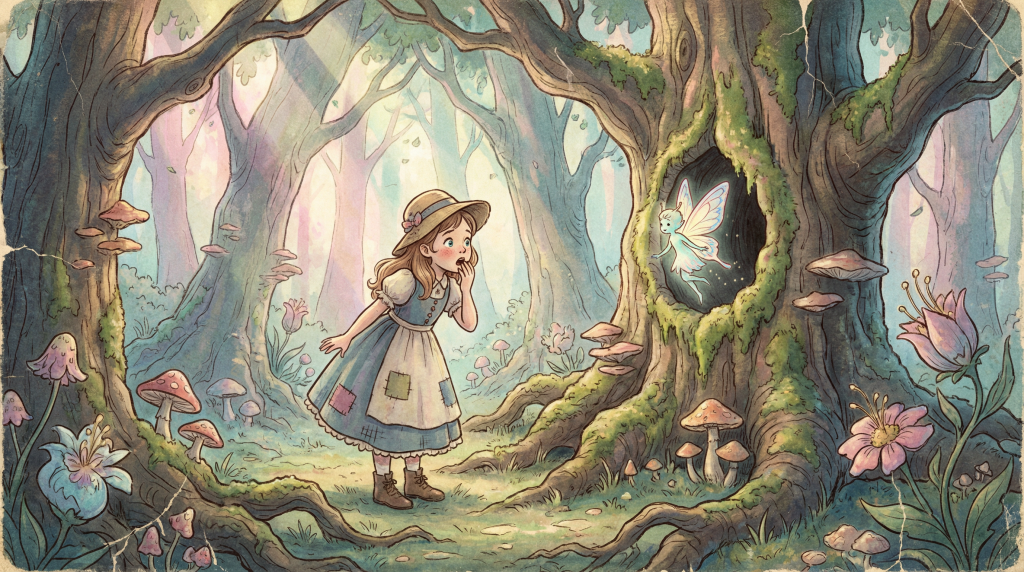
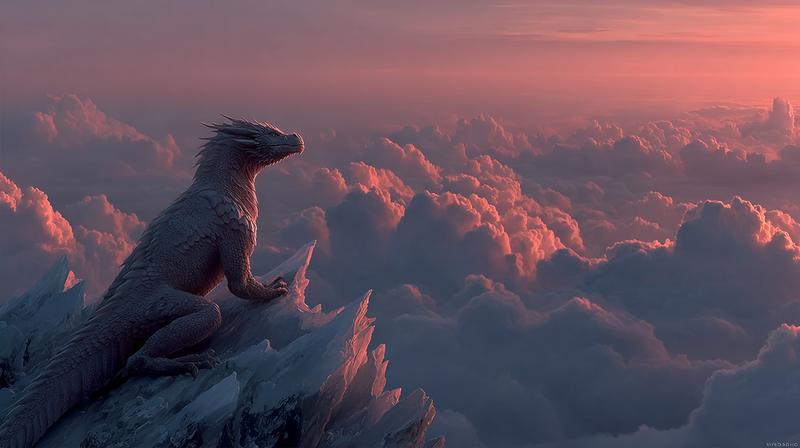
More: the AI fantasy art page.
Anime and manga prompts
Say which kind of anime you want: a soft hand-painted film look, a bright key visual, a lo-fi scene, or black and white manga with screentones. Then describe the character and the moment as you would for a photo.
A young woman in a flowing red dress, dancing gracefully, in an ancient Japanese garden at sunset, Studio Ghibli animation style, soft golden lighting, cinematic compositionBreathtaking anime illustration, a girl standing on a floating sky island overlooking a sea of clouds at sunset, wind in her hair, painterly light rays, vibrant color palette, theatrical key visual qualityAnime-style samurai warrior standing in a cherry blossom grove, detailed traditional armor, petals floating on the wind, golden hour light, dynamic low angleCozy anime-style bedroom at night, a student studying at a desk by the window, city lights outside, a cat asleep on the bed, warm desk lamp glow, lo-fi aestheticBlack and white manga panel of a determined teenage girl running through a rainy city street, speed lines, screentone shading, dramatic close-up on her eyes
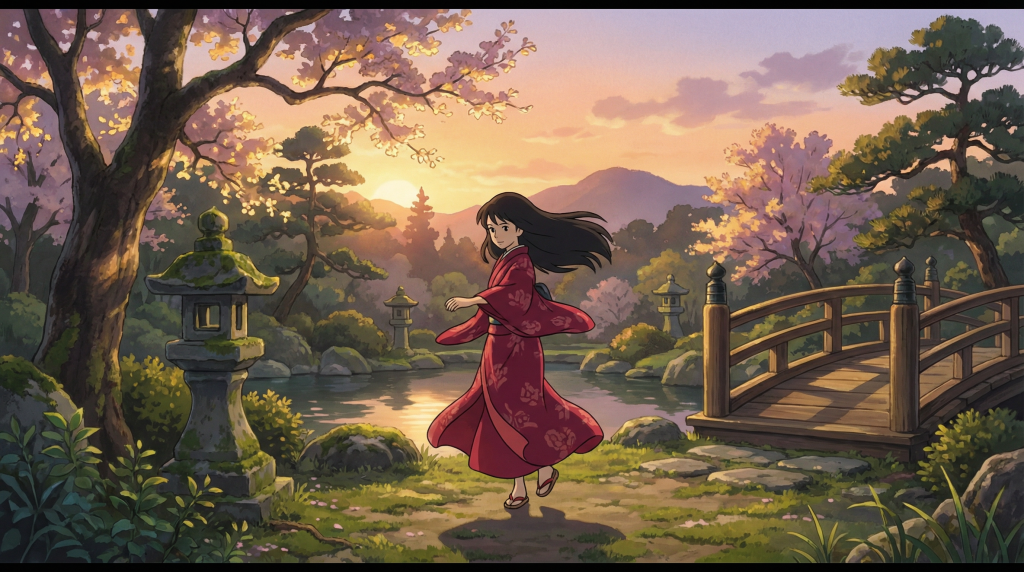
More: the AI anime generator page.
3D and Pixar-style prompts
Describe the materials (glossy plastic, brushed metal, soft clay) and the lighting, then add a rendering word like “3D render” or “claymation”. Big eyes and rounded shapes push any character toward the animated-film look.
Adorable small robot character, 3D render, big expressive glowing eyes, brushed titanium and soft white panels, Pixar-quality subsurface lighting, studio backdrop with soft warm gradient, octane renderPixar-style 3D render of a cute robot tending a tiny vegetable garden on Mars, a glass biodome behind it, Earth visible in the pink sky, warm hopeful mood, soft cinematic lightingClaymation scene of a grumpy old cat knitting a scarf in a tiny armchair, visible fingerprints in the clay, handmade miniature living room set, warm soft lightingIsometric 3D illustration of a tiny corner coffee shop with a rooftop garden and people at outdoor tables, soft pastel colors, clean edges, floating on a plain light backgroundPixar-style 3D animation still of a young girl and her grandfather flying a kite on a windy hill, expressive faces, vibrant colors, warm late afternoon light
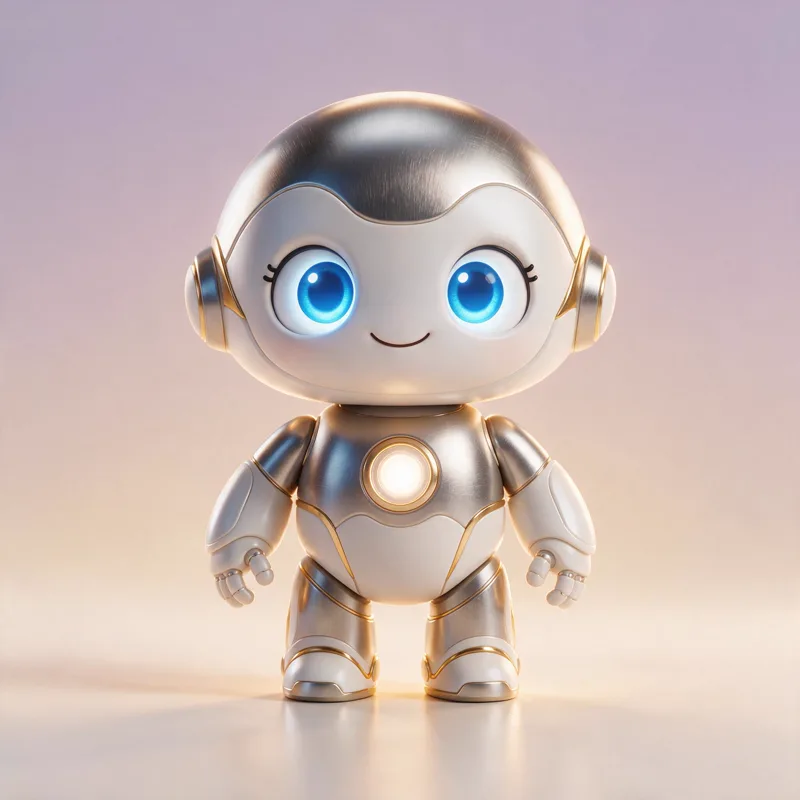
More: the Pixar-style AI generator page.
Interior design prompts
Name the room, the style (Scandinavian, japandi, farmhouse, mid-century), two or three key materials and the light. Ending with “interior design magazine photography” or “real estate listing photo” tells the model how polished the result should be.
Warm scandinavian living room interior, oak floors, boucle sofa, floor-to-ceiling windows with soft afternoon light, japandi style, interior design magazine photographyCozy bookshop interior with floor-to-ceiling wooden shelves, warm lamp light, a ginger cat sleeping on a leather reading chair, rainy evening outside the windowMoroccan riad courtyard with intricate zellige tile patterns, a central fountain, orange trees and carved arches, warm afternoon light, travel magazine photoBright farmhouse kitchen with a sage green island, brass fixtures and open wooden shelves with ceramic dishes, morning sunlight, real estate listing photo, wide-angle lensCalm home office with a walnut desk facing a large window, a tall monstera plant, a warm desk lamp and a cork board of sketches, soft overcast daylight, interior photography
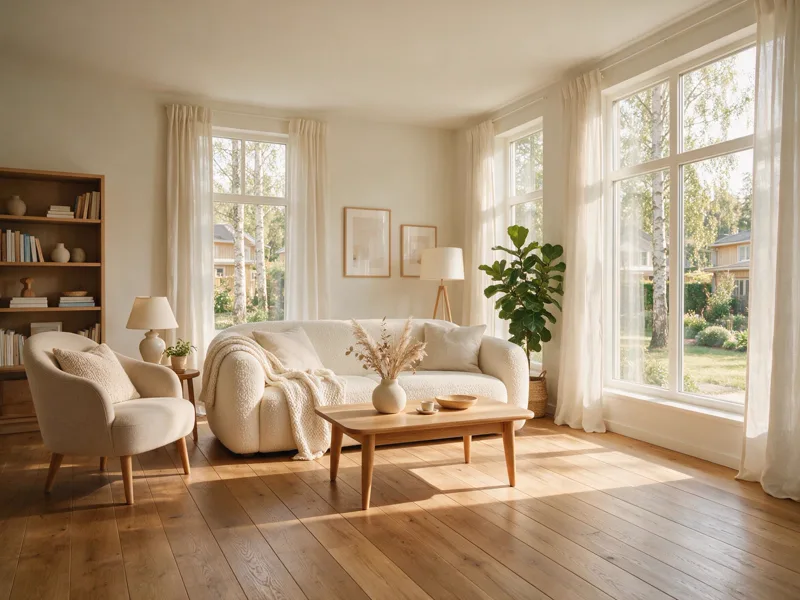
Want to restyle a photo of your own room instead? Upload it to the AI Interior Design Generator.
Cinematic, sci-fi and travel prompts
Think like a film director: a wide shot or a close-up, a mood, and one strong light source such as neon, a storm or sunbeams through windows. Words like “film still” and “anamorphic lens flare” push the image toward a movie look.
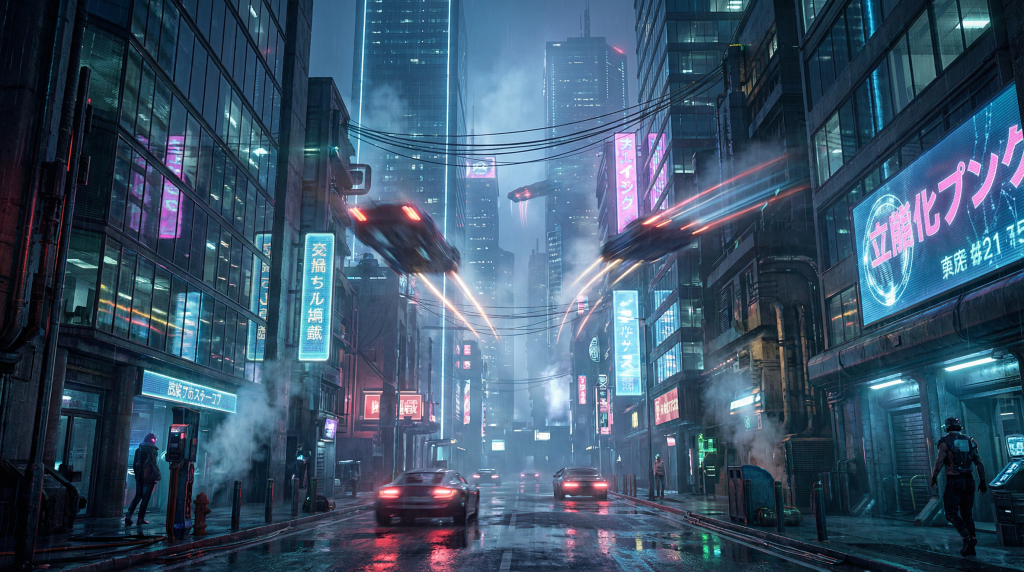
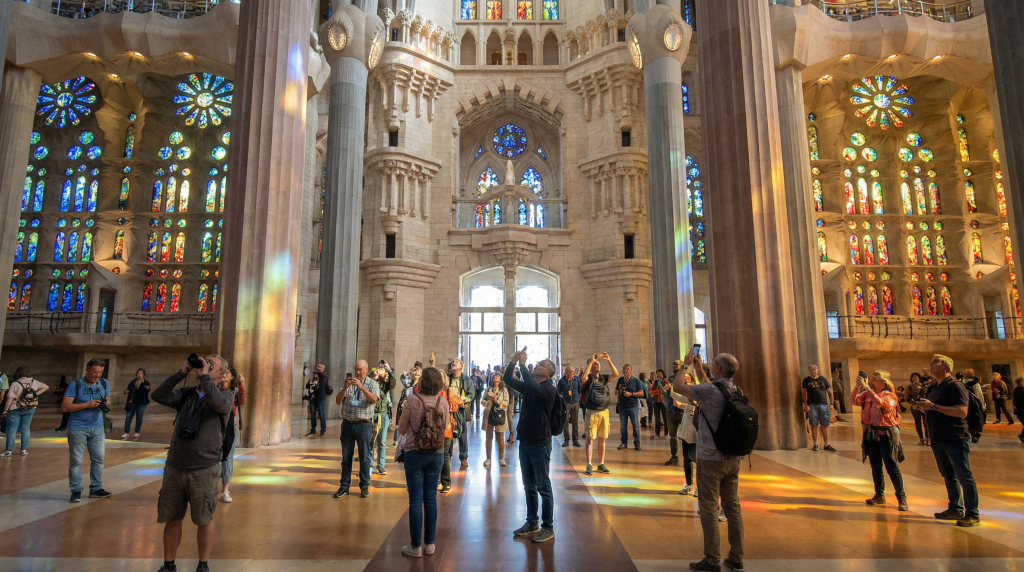
An 8K Unreal Engine 5 render of a futuristic cityscape at night, neon lights reflecting on wet streets, volumetric fog, ray-traced reflections in glass buildings, flying vehicles with motion blur, cyberpunk aestheticGenerate an image of the newly renovated Sagrada Familia interior as it looks in 2026, with tourists admiring the colorful stained glass windows, photorealistic style, natural lighting streaming through the windowsCinematic wide shot, lone samurai in flowing crimson robes standing in a field of silver pampas grass under a dramatic storm sky, hair and fabric caught in the wind, moody rim light, film still, epic compositionCinematic night scene, young man in translucent rain jacket standing in a neon-lit Tokyo alley in the rain, cyan and magenta reflections on wet asphalt, atmospheric haze, anamorphic lens flare, film stillWinter Christmas market in a historic European square at dusk, string lights over wooden stalls, snow falling, people holding warm drinks, festive cinematic atmosphere
How to prompt each AI image model
Every model reads the same prompt box, but each rewards different habits. Newer models like GPT Image 2.5, Nano Banana and Seedream 5.0 understand full sentences, positions and exact text, so you can write the way you would brief a designer. Older diffusion models such as Stable Diffusion XL prefer short, comma-separated keywords with the most important words first. Midjourney sits in between and adds its own parameters.
GPT Image 2.5 Flare and Sunburst
GPT Image 2.5 Flare Medium is the default model in the AI Image Generator. Its model card lists more natural lighting, richer textures and better preservation of reference photos than GPT Image 2. Write a clear brief in full sentences: what is in the frame, where each thing sits, and any text in quotes.
- Low, Medium and High: Low is for quick drafts, Medium suits most work, and High gives the most detail and the sharpest text.
- Sunburst is the premium tier for tight control, polished product shots and multi-step edits. It is slower than Flare but follows long, text-heavy briefs more closely, which is why Easy-Peasy.AI uses it behind the scenes for image slide decks and carousels.
- Shapes: 1:1, 2:3, 3:2, 16:9 and 9:16, set in the size menu.
GPT Image 2 and GPT Image 1.5 are still in the model menu if you prefer them.
Nano Banana prompts: Nano Banana 2.1, 2 and Pro
Nano Banana is Google’s image model family. Nano Banana 2.1 is the newest: it improves on Nano Banana 2 in visual design, text and character consistency, with more natural-looking photos. Nano Banana 2 Lite is the fastest, and Nano Banana Pro is built for top quality and detail. Nano Banana 2.1, 2 and Pro go up to 4K, while Lite renders at 1K.
The best Nano Banana prompts read like a creative brief: the subject, the exact text in quotes, the colors, the mood and the layout, in plain sentences. The family is also great at edits, where you can say “change only the jacket to red and keep everything else the same”. Nano Banana 2.1, 2 and Pro can use Google Search while they generate (Lite cannot), which helps with real landmarks and current trends, like prompts 5 and 47.
We ran one poster prompt through all four Nano Banana models at the same size (4:5 at 1K):
Create a premium editorial poster for an imaginary sparkling citrus drink named NANA. Center one brushed-aluminum yellow can covered in realistic condensation on a cobalt-blue pedestal, with crisp banana-leaf shadows and a warm cream background. Include this exact headline in large dark navy type: "BRIGHT IDEAS, BOTTLED." Include this exact smaller line: "YUZU · LIME · ZERO SUGAR". High-end art direction, clean hierarchy, balanced negative space, realistic product photography, no extra words, no logos besides NANA.
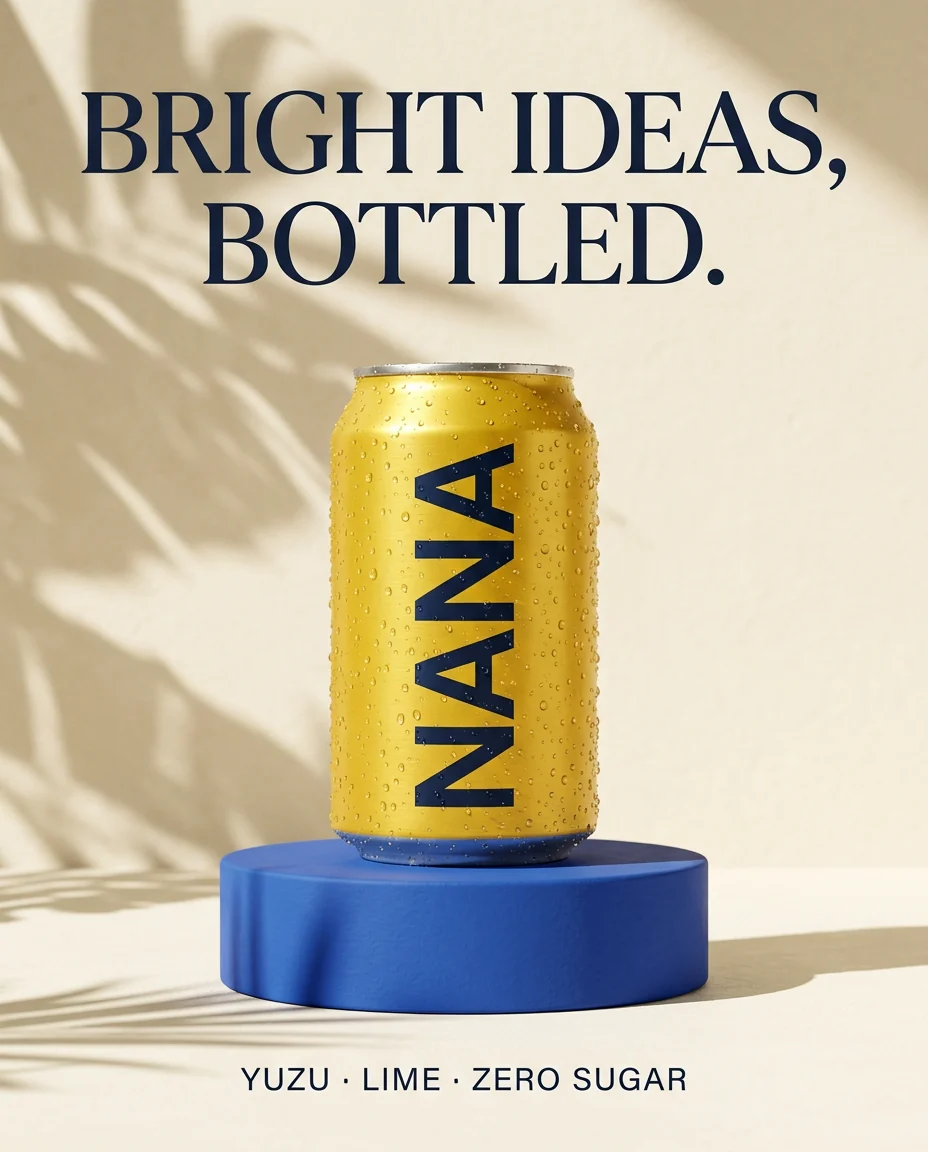
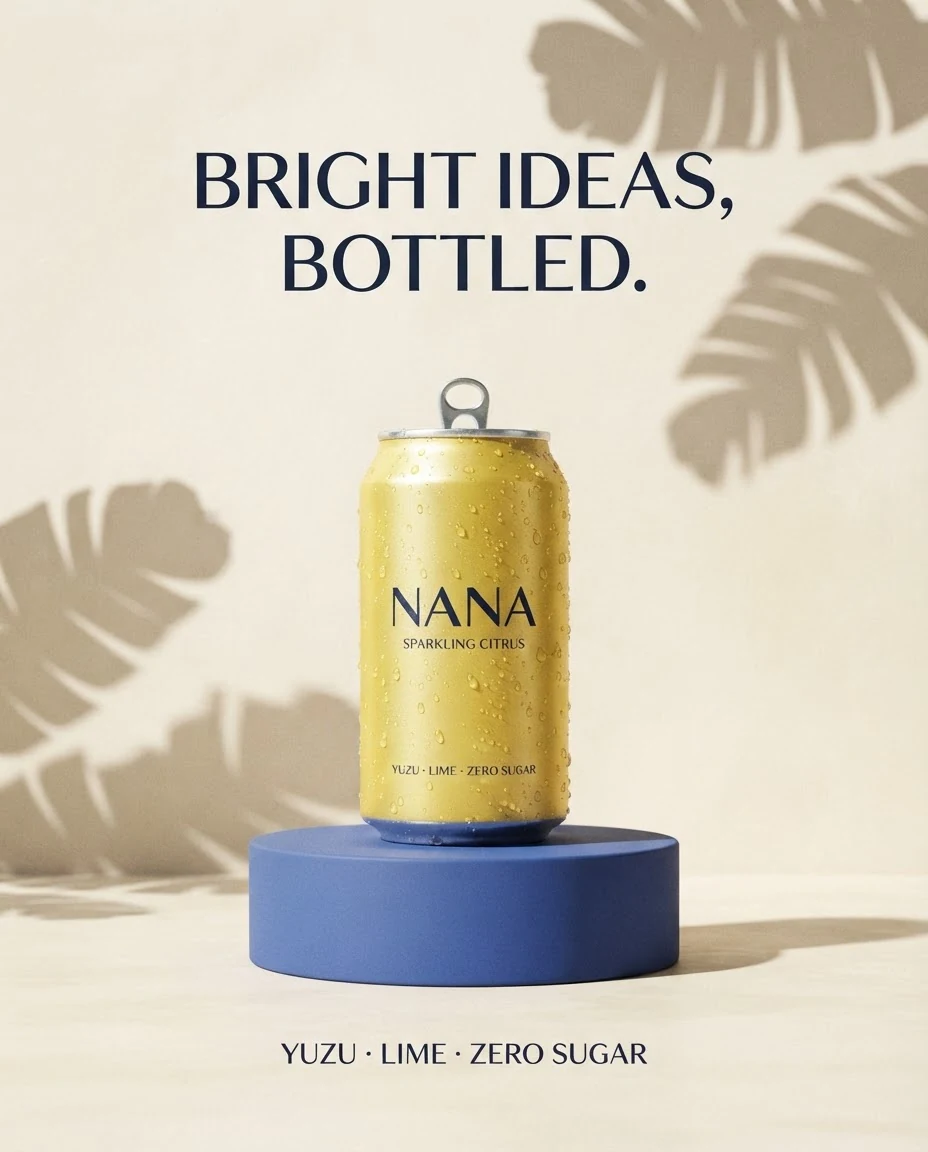
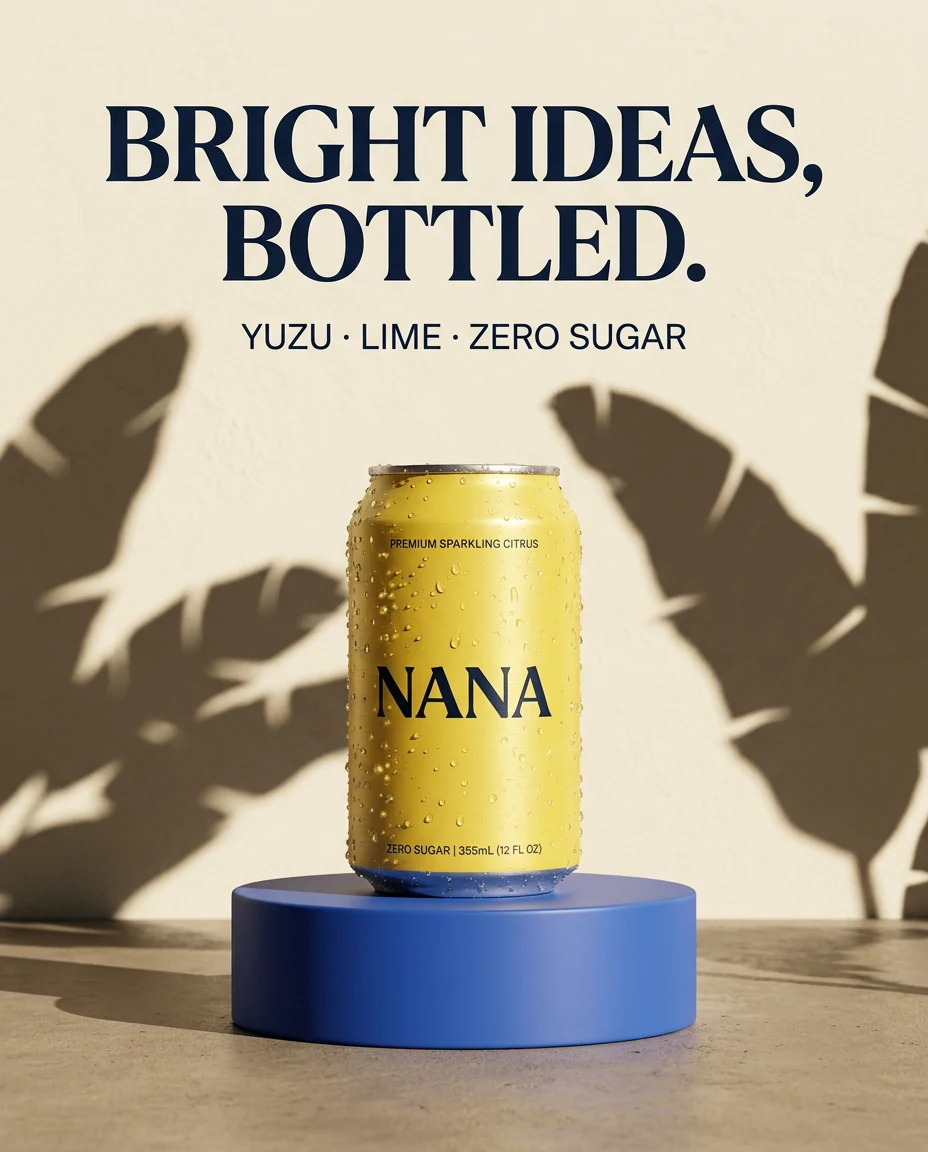
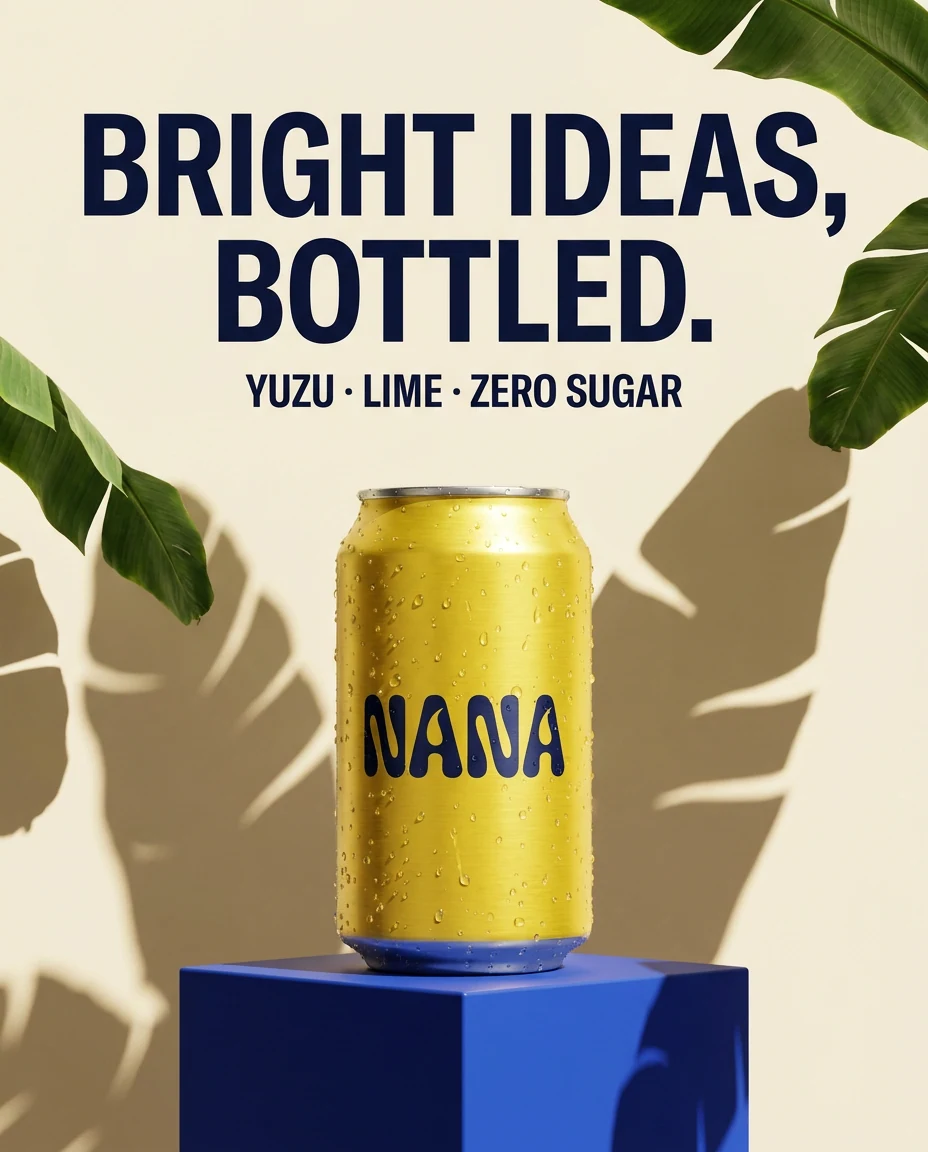
All four spelled the headline correctly. Nano Banana 2.1 added no extra words, Lite and Nano Banana 2 printed small extra copy on the can despite “no extra words”, and Pro picked the boldest custom lettering. See more on our Nano Banana page, or read our Nano Banana 2 overview.
Seedream 5.0 Pro and Seedream 5.0 Lite
Seedream 5.0 Pro is ByteDance’s flagship image model. Its model card highlights deep prompt understanding, native text in 14 languages and precise control over dense layouts, which makes it a strong pick for menus, posters and infographics in other languages. Seedream 5.0 Lite is the faster version, and Seedream 4.5 is still in the menu.
Seedream handles compact prompts well too. Prompts 2, 3, 8, 9, 14, 21, 32, 36, 41, 48 and 49 come from our ready-made image templates, which run on Seedream 5.0 Pro with short, comma-separated descriptions. The Seedream 5.0 Pro page has more examples.
Midjourney prompts: Midjourney V7
Midjourney V7 and V6 are in the model menu (paid plans only), and every run returns four images. Midjourney prompts are usually shorter and more evocative than GPT Image prompts, with optional parameters at the end. Here is prompt 27 written the Midjourney way:
A majestic dragon perched on a crystal mountain peak, iridescent scales reflecting sunset colors, volumetric fog, epic fantasy art --stylize 750
- Set the aspect ratio in the size menu. The app replaces any
--aryou type with your size choice and adds the version flag for Midjourney V7 for you. - Other parameters, such as
--stylizeand--chaos, stay in your prompt and go to Midjourney with it. - Midjourney is text-to-image only in Easy-Peasy.AI. When you add a reference image, the menu switches to editing models.
- To reuse a Midjourney prompt on another model, delete the parameters and describe the look in words.
Other models worth trying
- FLUX.2: [max] and [flex] aim for the highest detail and prompt adherence, [pro] balances speed and cost, and [dev] focuses on realism and crisper text.
- Grok Imagine 2.0: xAI’s newest image model, with better photorealism and prompt adherence, plus editing.
- Muse Image: Meta’s agentic model, which can look up visual references and current facts before it renders. It is strong at text, infographics and product accuracy.
- Older models such as Stable Diffusion XL: keep prompts short, keyword-based and front-loaded.
AI image model comparison chart
| Model | Best for | How to prompt it | Reference images* |
|---|---|---|---|
| GPT Image 2.5 Flare | Everyday images, natural light, edits that keep a reference photo | Full-sentence brief, text in quotes | Yes |
| GPT Image 2.5 Sunburst | Long, text-heavy briefs, polished product and campaign images | Detailed brief with layout and exact copy | Yes |
| Nano Banana 2.1 | Visual design, text, consistent characters, real places | Creative brief, then one edit at a time | Yes |
| Nano Banana Pro | Top quality and detail, up to 4K | Creative brief | Yes |
| Seedream 5.0 Pro | Dense layouts, text in 14 languages | Short or long; spell out the layout | Yes |
| FLUX.2 [max] | Maximum detail and prompt adherence | Descriptive sentences | Yes |
| Midjourney V7 | Artistic, painterly looks | Short and evocative, plus parameters | No (text only) |
| Ideogram v4 | Posters and logos with accurate text | Quoted text plus placement | No |
| Recraft v4.1 Vector | Editable SVG logos and icons | Short design brief | No |
How to prompt text in AI images (posters, signs and logos)
Text used to be the weak spot of AI images. Newer models handle it well, as long as the prompt is precise:
- Quote the exact words: write title “SUMMER SALE”, not “a title about a sale”.
- Say where it goes: centered at the top, in the bottom right corner, on the label.
- Describe the lettering: bold sans-serif, elegant serif, hand-lettered script, chrome 3D letters.
- Keep it short: one headline and one small line, plus “no other text” if the model keeps adding words.
Here is what happens when you don’t name the words. This prompt asked for floating words but never said which ones:
A creative visualization of how prompts work: words floating and transforming into colorful paint splashes that form a beautiful landscape, showing the transformation from text to image, modern digital art style
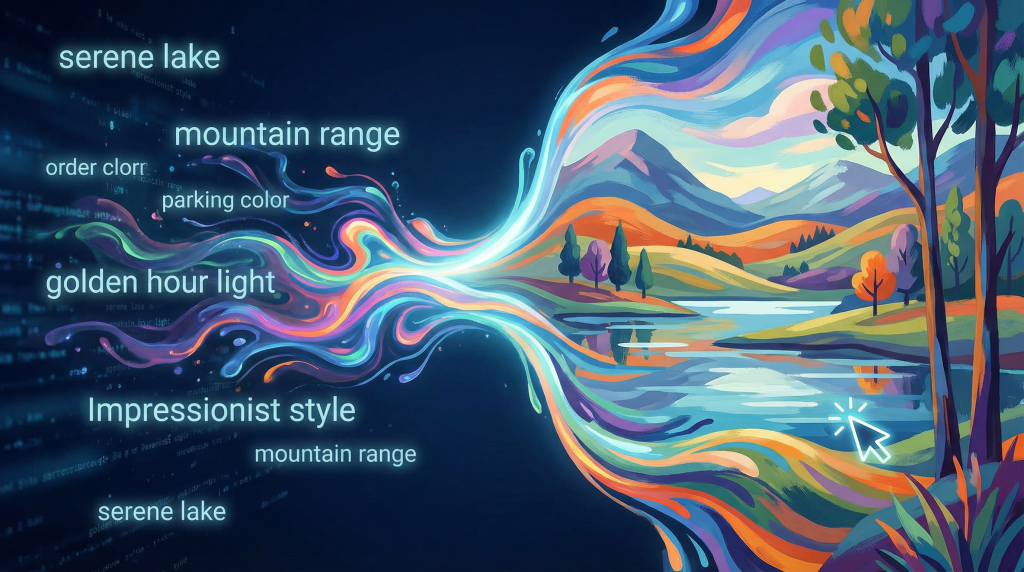
Prompts 16 and 17 spell out every word and where it goes, and both posters came out clean. Placement matters too: prompt 7 asked for the price on a tag, and the model printed it as a big headline instead. For text-heavy work, try GPT Image 2.5 (High for the sharpest letters), Nano Banana 2.1 or Pro, Seedream 5.0 Pro for other languages, and Ideogram v4 or Recraft v4.1 Vector for logos.
JSON prompts: structured prompting for consistent results
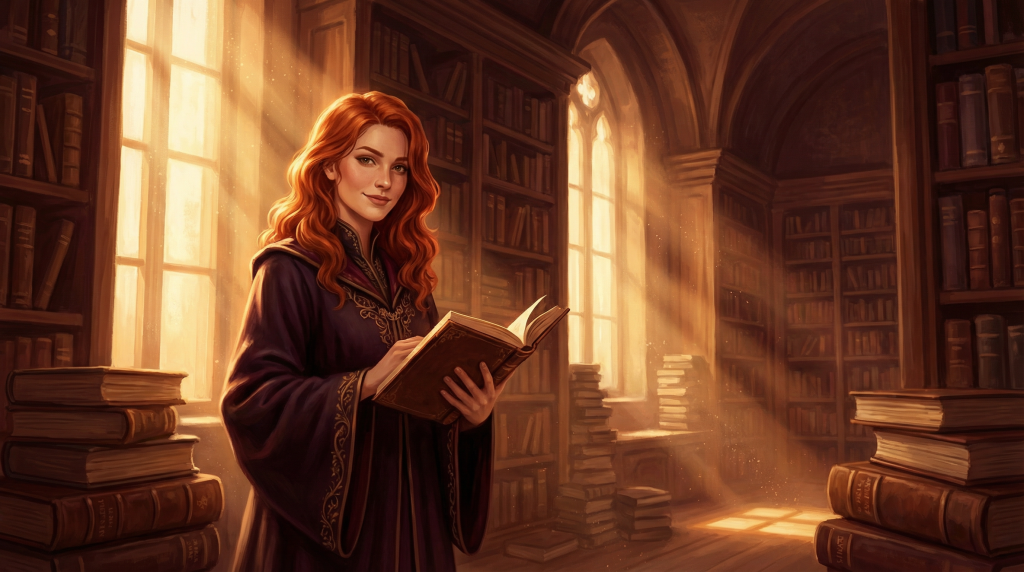
A JSON prompt is the same description sorted into labeled fields such as subject, environment, style and lighting. The model reads it as text, so it is not a secret switch, but the structure helps: you won’t forget a part of the formula, you can change one field and keep the rest, and a team can reuse one template across a product line or a content series.
{
  "subject": {
    "main": "young woman",
    "details": "flowing red hair, elegant posture",
    "expression": "confident smile"
  },
  "environment": {
    "setting": "ancient library",
    "time": "golden hour",
    "weather": "dust motes floating in sunbeams"
  },
  "style": {
    "artistic_style": "digital painting",
    "color_palette": "warm amber and deep burgundy",
    "mood": "mysterious and scholarly"
  },
  "technical": {
    "composition": "rule of thirds, subject slightly left",
    "camera_angle": "eye level, slight low angle",
    "lighting": "dramatic Rembrandt lighting"
  }
}
JSON prompt example for product photography
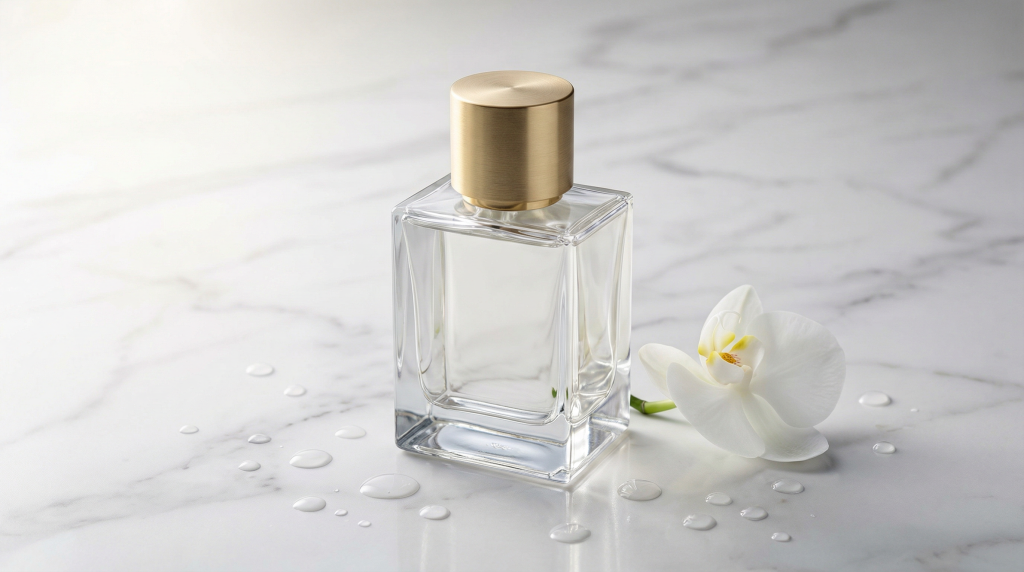
{
  "product": {
    "item": "luxury perfume bottle",
    "material": "crystal glass with gold cap",
    "brand_style": "high-end minimalist"
  },
  "presentation": {
    "surface": "white marble with subtle gray veining",
    "props": "single white orchid, water droplets",
    "arrangement": "product centered, orchid to the right"
  },
  "lighting": {
    "type": "soft studio lighting",
    "direction": "45-degree key light from left",
    "highlights": "subtle rim light on bottle edges"
  },
  "style": {
    "aesthetic": "luxury e-commerce",
    "mood": "elegant and aspirational",
    "color_scheme": "white, gold, soft gray"
  },
  "output": {
    "aspect_ratio": "1:1",
    "quality": "8K detail"
  }
}
Use JSON prompts for batches (a product line, a weekly social series), complex scenes where placement matters, and shared prompt libraries. For a quick one-off image, a plain sentence is faster. Any model in the generator accepts JSON pasted into the Prompt box, but the size menu, not the "aspect_ratio" field, sets the real shape.
How to prompt with reference images
Sometimes words are not enough: you need this exact face, product or style. In the AI Image Generator, add references with the Upload, Character and Object cards (up to 8 images). Uploaded images are checked against the content rules before you can generate.
Adding a reference switches the model menu to models that can edit, including GPT Image 2.5 Flare and Sunburst, Nano Banana 2.1, 2 and Pro, Seedream 5.0 Pro and Lite, FLUX.2, Grok Imagine 2.0 and Muse Image. Midjourney is not on that list.
Four ways to use a reference image
- Subject: keep a person or product and change the scene.
this product on a sandy beach at sunset, waves in the background - Style: borrow an artwork’s colors and brushwork.
a modern city street in the style of this painting - Composition: reuse an image’s layout.
recreate this magazine cover layout with a fantasy forest scene - Pose: copy a body position.
a friendly robot in this exact pose
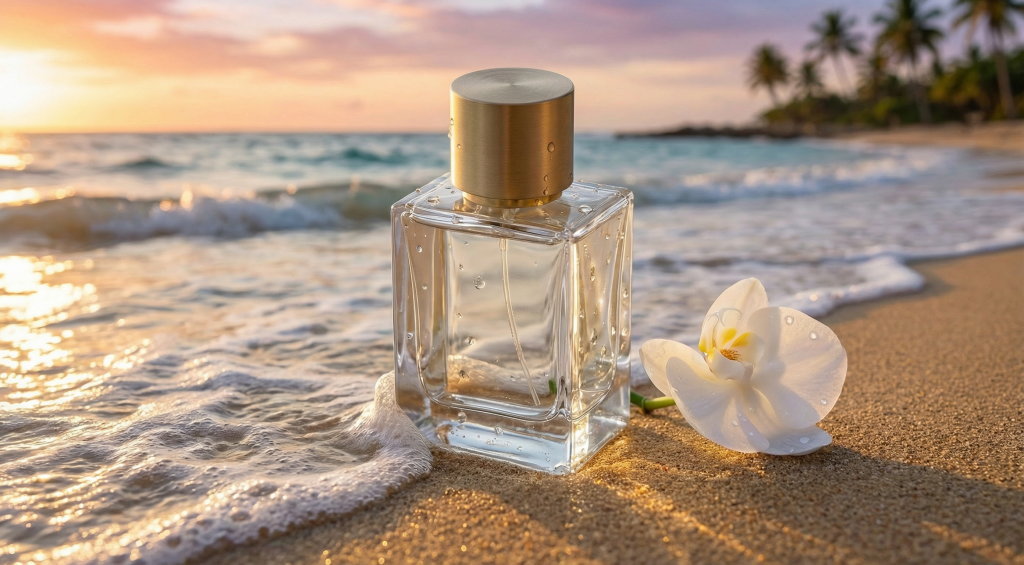
How to word a reference prompt
- Say what to keep and what to change:
Keep the pose and facial expression, change the clothing to medieval knight armor - Describe each image in words when you add several, such as “the woman from the first photo” and “the blue bottle”.
- Use clear, well-lit references. The model can only keep the details it can see.
- Use the formula for everything that changes: the setting, the light, the style and the camera.
Here is a transformation prompt, used with a photo of a cozy cafe:
Transform this cafe into a magical apothecary shop, keep the warm lighting and seating arrangement, add floating potion bottles, mystical herbs hanging from the ceiling, glowing crystals on shelves, fantasy illustration style
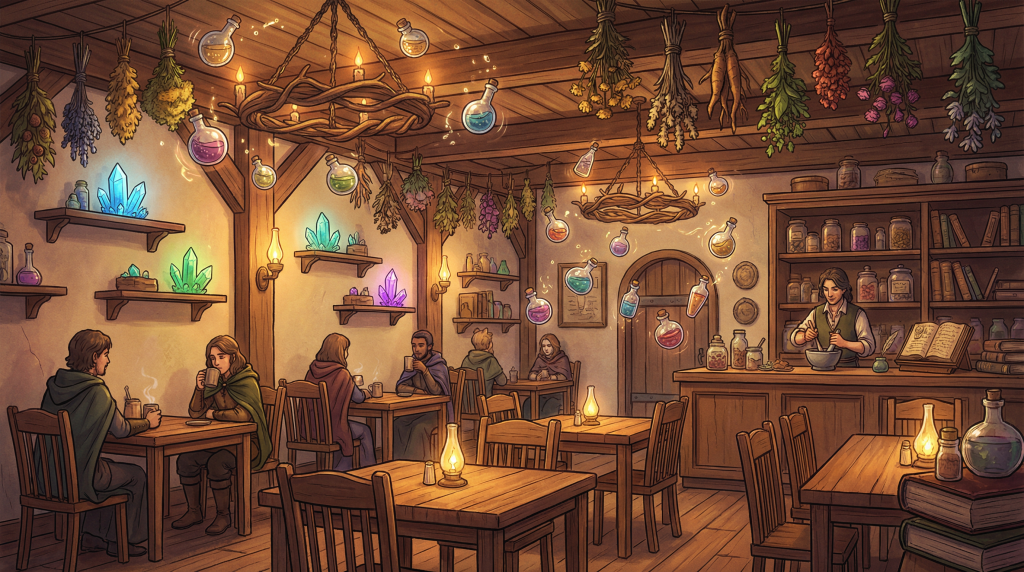
For more ideas, read how to add anything to a photo with AI, or try editing AI images with visual annotations, where you draw on the image instead of describing every change.
AI art prompt tips that work on every model
Be specific about what you see
Vague words give average images. Compare A pretty sunset with this:
A dramatic sunset with deep orange and magenta gradients, silhouetted mountains, wispy cirrus clouds catching the last golden light
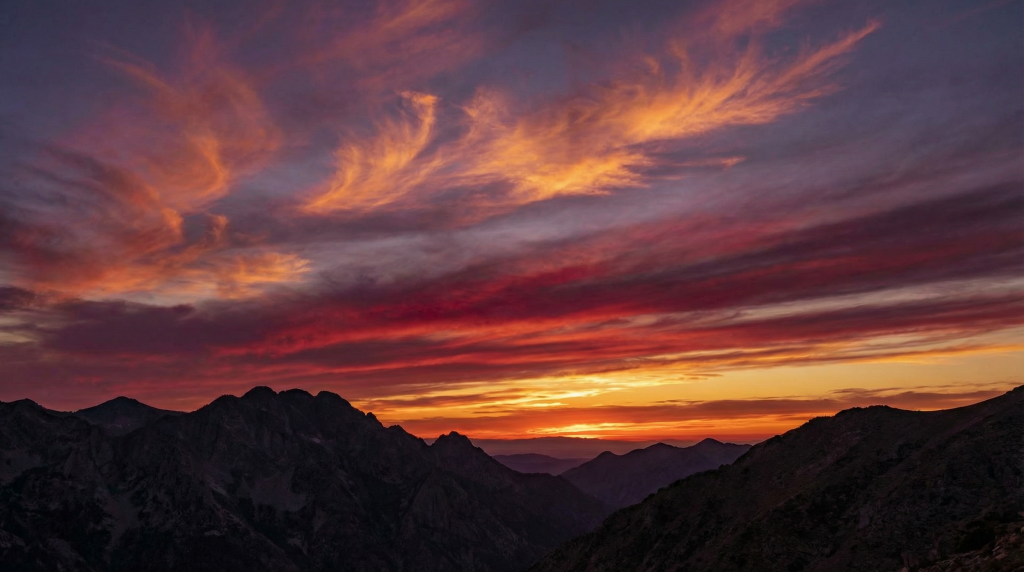
Describe the light like a photographer
Light sets the mood more than any other word. Name the type and the direction: soft window light from the left, hard noon sun, rim light, neon glow, candlelight, golden hour, blue hour, Rembrandt lighting, high key or low key. The Lighting card in the generator can add many of these for you.
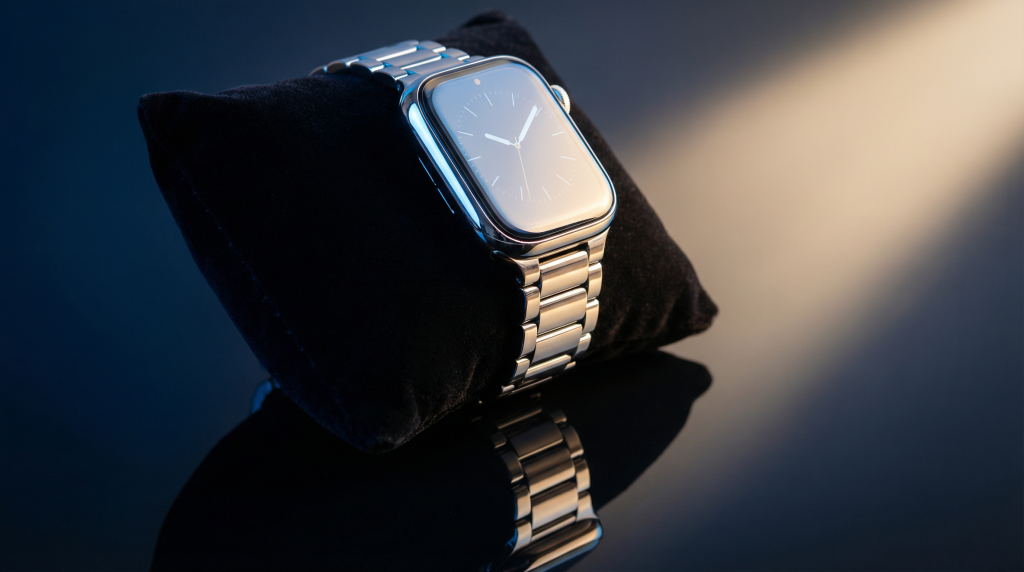
Luxury smartwatch on black velvet, chrome and sapphire design, dramatic side lighting with blue accent light, reflection visible, 4K quality, e-commerce style
Add camera and composition words
- Lens: wide-angle, 35mm, 50mm, 85mm portrait lens, macro, telephoto, tilt-shift
- Depth of field: shallow depth of field, bokeh background, deep focus
- Angle: eye level, low angle, bird’s eye view, over the shoulder, Dutch angle
- Shot size: extreme close-up, medium shot, full-length, wide shot
- Layout: rule of thirds, centered, symmetrical, leading lines, empty space for text
Name an art style, or a 3D look
Art movements and well-known historic artists give the model a whole visual language: Impressionism with visible brushstrokes, Art Nouveau with flowing lines, ukiyo-e woodblock prints, or a palette inspired by Monet’s water lilies. Mix two for something new, such as “Art Nouveau meets cyberpunk”. Our style pages, like Van Gogh and Monet, include example prompts. For 3D, borrow the words 3D artists use: ray tracing, global illumination, subsurface scattering, octane render.
Describe what you want, not what you don’t
“Open grassland” works better than “no trees”, because naming a thing tends to put it in the picture. Newer models do follow short exclusions like “no extra words”, but a positive description is more reliable. Also avoid contradictions: “minimalist but highly detailed” pulls the model two ways, and so does a prompt with three separate scenes.
Change one thing at a time
When an image is almost right, keep the prompt and change a single part: the light, the angle or the colors. You learn what each word does and build a library of prompts that work. Save your best ones and reuse them as templates.
Why prompts get blocked, and how to rewrite them
Every major image model follows content rules, and Easy-Peasy.AI also checks prompts and uploaded images. Requests are usually refused for explicit sexual content, graphic violence, anything that puts minors at risk, hateful imagery, real people in fake or embarrassing situations, and copyrighted characters or brand logos. If an everyday prompt is refused, the wording is usually the problem:
- Use neutral, specific words such as “athletic”, “elegant” or “professional”, and describe the clothing.
- Give the context: “for a children’s book illustration” or “for a fitness brand ad”.
- Describe a look instead of naming a famous character or brand: “a superhero in a red and blue suit”.
- Frame classical art as art: “classical marble sculpture, museum exhibit”.
Frequently asked questions
How do I generate good AI image prompts?
Start with the formula: image type, subject, details, setting, style, lighting and camera. Write it as plain sentences, put any on-image text in quotes, and set the shape in the size menu rather than in the prompt. Then change one part at a time until the image matches your idea.
What are the top 10 AI prompts for images?
There is no official top 10, but these ten from the list cover ten everyday jobs: a team photo (1), a headshot (2), a product hero shot (6), a social flat lay (11), a movie poster (16), a logo (18), a landscape (22), a fantasy scene (27), a 3D character (36) and an interior (41). Swap the subject in each and you have a starting point for almost any project.
Where can I find free AI image prompts?
All 50 prompts in this guide are free to copy. Our style pages, such as watercolor, list example prompts with a copy button, and every public image in the gallery on the AI Image Generator page shows its full prompt and model, plus a button to create images like it.
Can you give me some good prompt examples?
Three short ones: Cozy log cabin on a still mountain lake at dawn, mist on the water, warm light in the windows for a landscape, Studio portrait of a golden retriever in a knitted scarf, pastel blue backdrop, softbox lighting for a pet photo, and Minimal flat vector logo of a flame merged with an oak leaf, warm brown and orange for a brand. Each names a subject, a setting or style, and the light or finish.
Do Midjourney prompts work in other AI image generators?
Mostly, yes. Delete the parameters at the end, such as --ar and --stylize, then turn the style words into a sentence. Newer models like GPT Image 2.5 and Nano Banana 2.1 usually do better with full sentences than with short Midjourney phrases.
How do I write Nano Banana prompts?
Write them like a creative brief: subject, exact text in quotes, colors, mood and layout, in plain sentences. For edits, add the image and describe one change at a time, such as “make the sky stormy and keep everything else the same”. Nano Banana 2.1, 2 and Pro can also use Google Search, so they handle real places and current trends well.
Can AI write image prompts for me?
Yes. In the AI Image Generator, type a rough idea and click Improve prompt, or leave the box empty for a random idea. The Art Prompt Generator template does the same and can also write a prompt from an image you upload. Both are part of paid plans, and Free accounts get one trial run.
How long should an AI image prompt be?
Long enough to cover the formula, which is usually one to four sentences. Newer models such as GPT Image 2.5, Nano Banana 2.1 and Seedream 5.0 Pro handle long, detailed briefs well, while older keyword-based models lose focus after the first few phrases. Either way, put the most important detail first.
Can I use AI-generated images commercially?
On Easy-Peasy.AI’s paid plans, your images are private and you get full commercial rights to them; images made on the Free plan are public. Whatever tool you use, read its terms (here are ours), and avoid real people, logos and characters you don’t have the rights to.
Why does the AI ignore part of my prompt?
Usually the prompt is crowded or contradictory, or the detail comes at the very end. Move the important part to the front, remove words that clash, and split a busy scene into separate images. If a model still won’t follow, run the same prompt on another model and compare.
Start creating with your own prompts
Pick a prompt from this list, paste it into the AI Image Generator, and swap in your own subject. Run it on two or three models to find the look you like, then refine one word at a time. You can start with a free account: the Free plan includes a small monthly image allowance, and paid plans unlock the premium models, more sizes, 4K and Multi-select.